
RAG & Vector Databases
Vector Database Comparison for RAG
Compare vector databases and search backends by retrieval quality, hybrid search, filtering, latency, scale, and operational cost.
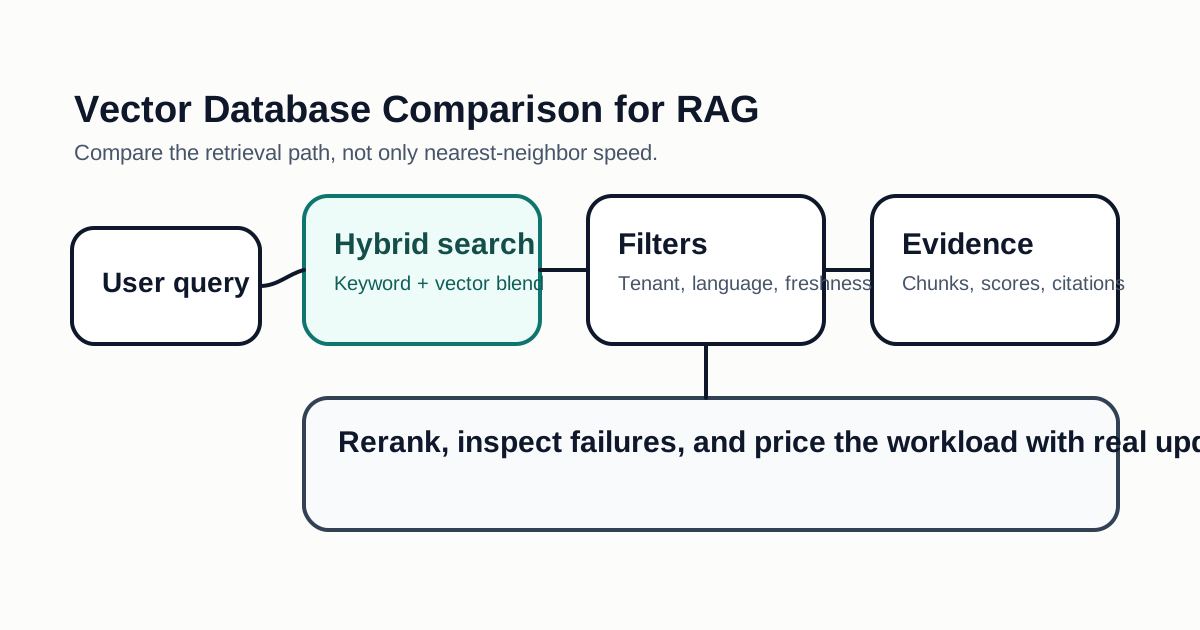
Choosing a vector database for RAG is not only about nearest-neighbor speed. The best backend depends on metadata filtering, hybrid lexical search, update frequency, tenant isolation, cost, operational complexity, and how easily your team can debug bad retrieval.
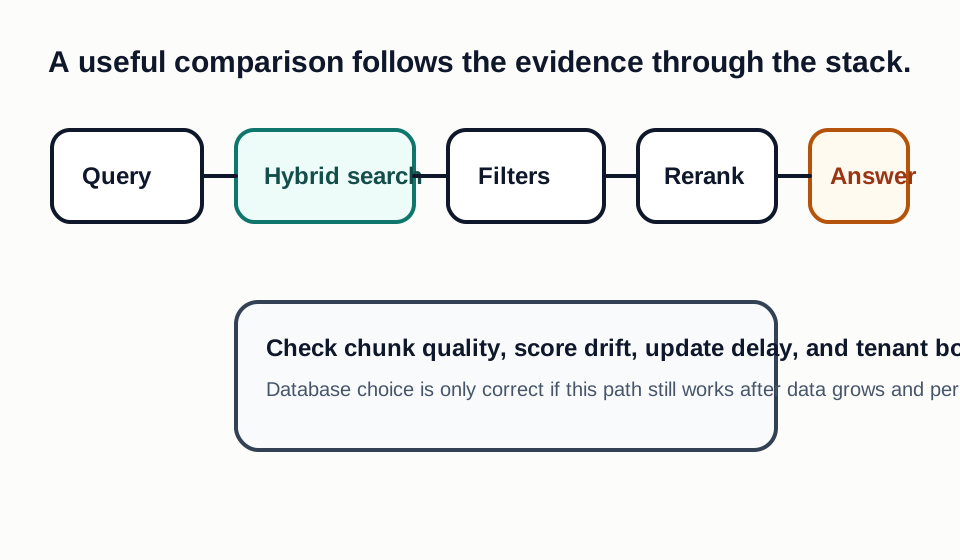
Important Comparison Areas
Retrieval quality starts before the database. Chunking, embeddings, metadata, query rewriting, and reranking often matter more than the index brand. Still, the backend must support the retrieval strategy your product needs.
Hybrid search is valuable when users mix exact terms, product names, error codes, and semantic intent. Metadata filtering is essential for permissions, workspaces, time ranges, languages, and document types. Without strong filtering, RAG systems can return context that is technically similar but not allowed for the user.
Evaluation Table
| Area | What To Check |
|---|---|
| Hybrid search | Can it combine keyword and vector signals cleanly? |
| Metadata filters | Are filters expressive and fast at your expected scale? |
| Updates | How quickly do inserts, deletes, and re-embeddings become searchable? |
| Multi-tenancy | Can you isolate customers without expensive duplication? |
| Observability | Can you inspect retrieved chunks, scores, filters, and query history? |
| Operations | Who manages backups, scaling, upgrades, and incident response? |
| Cost | Do you pay by vectors, storage, queries, replicas, or compute? |
Hosted vs Self-Managed
Hosted vector services reduce operational work and can be the fastest path for a product team. Self-managed search can make sense when data residency, cost control, or existing infrastructure matters more. PostgreSQL extensions, search engines, and dedicated vector databases can all be valid choices if they meet your latency and filtering needs.
Cost And Lock-In
Vector database pricing can be difficult to compare because vendors may charge by stored vectors, dimensions, replicas, pods, storage, queries, bandwidth, or compute time. Estimate cost with realistic document growth and query volume. A low starting price can change quickly when the product adds more tenants, higher-dimensional embeddings, replicas, or long retention windows.
Lock-in also matters. Check whether vectors, metadata, namespaces, and query logs can be exported. If you use vendor-specific hybrid search, reranking, or filtering syntax, document the migration cost. A managed service can still be a good choice, but the decision should include the cost of leaving.
Debugging Bad Retrieval
Choose a backend that helps engineers inspect failures. When a user gets a bad answer, you need to see the query, filters, retrieved chunks, scores, document ids, timestamps, and tenant boundaries. If the database is a black box, teams may keep changing prompts when the real problem is stale ingestion, weak metadata, or an over-broad filter.
Workload Profiles
Compare vector databases against the workload you actually run. A documentation assistant has different needs from product search, legal retrieval, code search, fraud review, or support triage. Documentation search may value hybrid retrieval and citation quality. Product search may value filtering, ranking controls, and freshness. Legal or compliance workflows may value deletion guarantees, auditability, and strict tenant boundaries.
Write down the expected document count, average chunk count, embedding dimension, update frequency, query volume, and retention period. Also document whether the workload needs exact keyword matching, semantic similarity, time filters, permission filters, reranking, or faceted navigation. These details change the right backend. A system that performs well for static documentation may struggle with fast-changing records and complex filters.
Evaluation Dataset
Do not evaluate with random demo documents. Build a small gold set from real user questions and expected source documents. Include easy queries, ambiguous queries, exact-match queries, permission-sensitive queries, stale-document cases, and questions that should return no answer. For each query, record the documents or chunks that should appear in the top results.
Measure retrieval before generation. If the right evidence is not retrieved, a stronger language model may still produce a confident but unsupported answer. Track top-k recall, citation usefulness, filter correctness, latency, and failure explanations. A practical evaluation can start with 50 queries; it does not need to be a research benchmark to expose weak ingestion, weak chunking, or a backend that cannot handle your metadata model.
Operating Cost Model
Vector database cost includes more than stored vectors. Include embedding generation, re-embedding after model changes, indexing compute, query traffic, replicas, backups, logs, reranking, monitoring, and engineering time. Hosted services often reduce operational labor, but cost may grow with vector count, dimensions, query volume, or dedicated capacity. Self-managed systems may reduce vendor spend but require backup, scaling, upgrades, and incident response.
Plan for data growth. If each document becomes ten chunks and each chunk gets multiple embeddings over time, storage can expand faster than expected. If every RAG answer retrieves many chunks and reranks them, query cost and latency may matter more than storage. The right comparison shows cost per successful answer, not only cost per vector.
Migration And Exit
Before adopting a backend, test export and rebuild. Can you export vectors, metadata, namespaces, document ids, and query logs? Can another system reproduce the same filters and ranking behavior? Vendor-specific query syntax, reranking, hybrid scoring, or serverless index behavior can become migration work later.
Exit planning does not mean avoiding managed services. It means understanding which parts of the retrieval stack are portable and which are vendor-specific. A managed service can still be the best choice if it improves reliability and speed, but the team should know the cost of leaving before the database becomes central to the product.
Bottom Line
Pick the vector database after testing your real documents and queries. A benchmark on generic data is less useful than a small evaluation set with your support tickets, documentation, policies, code snippets, or product catalog.
Decision Checklist For Vector Database Comparison for RAG
Use this guide as a decision filter before a sales call, trial, or migration plan. For Vector Database Comparison for RAG, the practical question is whether the topic connects vector database comparison, RAG, semantic search to a measurable workflow outcome. A good decision should improve delivery speed, quality, cost control, or operational confidence without creating hidden review, security, or migration work.
- Retrieval returns accurate, authorized, fresh, and inspectable context for real user queries.
- The system supports metadata filters, deletes, updates, hybrid search, reranking, and tenant boundaries at the required scale.
- Engineers can debug poor answers by inspecting chunks, scores, filters, citations, and source freshness.
Pilot Plan
A useful pilot is small enough to finish quickly but realistic enough to expose integration, data, workflow, and pricing issues. Avoid demo-only tests. The trial should use real tasks, real constraints, and a baseline from the current process so the team can decide with evidence instead of impressions.
- Build a gold query set from actual support tickets, product questions, documents, or code-search tasks.
- Evaluate retrieval quality separately from final answer quality so model strength does not hide search weaknesses.
- Test updates, deletes, permission changes, duplicate content, and stale documents before choosing infrastructure.
Metrics To Track
Track metrics that connect Vector Database Comparison for RAG to outcomes a budget owner and an engineering owner can both understand. A tool can look impressive in a demo and still fail if usage is low, quality is uneven, or the cost model changes under real workload volume.
- Retrieval precision, recall, citation usefulness, and answer support for a gold query set.
- P95 retrieval latency, indexing delay, delete propagation, and tenant-filter correctness.
- Cost for embeddings, storage, re-indexing, backups, reranking, and operational support.
Budget And Risk Review
Commercially useful AI tooling decisions should include the subscription or API price, but they should also include support load, review time, observability, privacy controls, switching cost, and the cost of wrong or low-quality output. Treat the first estimate as a working model and update it with production evidence.
- Do not choose a vector database only by benchmark latency if filtering and operational workflows are weak.
- Include embedding cost, re-indexing work, storage growth, backups, and incident handling in the estimate.
- Confirm that permission-sensitive data cannot leak through broad retrieval or stale cached chunks.
Review RAG infrastructure after every major corpus or permission change. Retrieval quality can drift when documents, products, and user roles change.
Editorial note
AI Jupyter writes independent guides for technical readers. Product details, pricing, and feature names can change, so readers should verify commercial terms on the official vendor site before buying.
Reviewed by the AI Jupyter Editorial Team.