
SaaS Alternatives
Developer Tool Alternatives Guide
Compare SaaS developer tools and alternatives by switching cost, integrations, pricing model, data export, and team workflow.
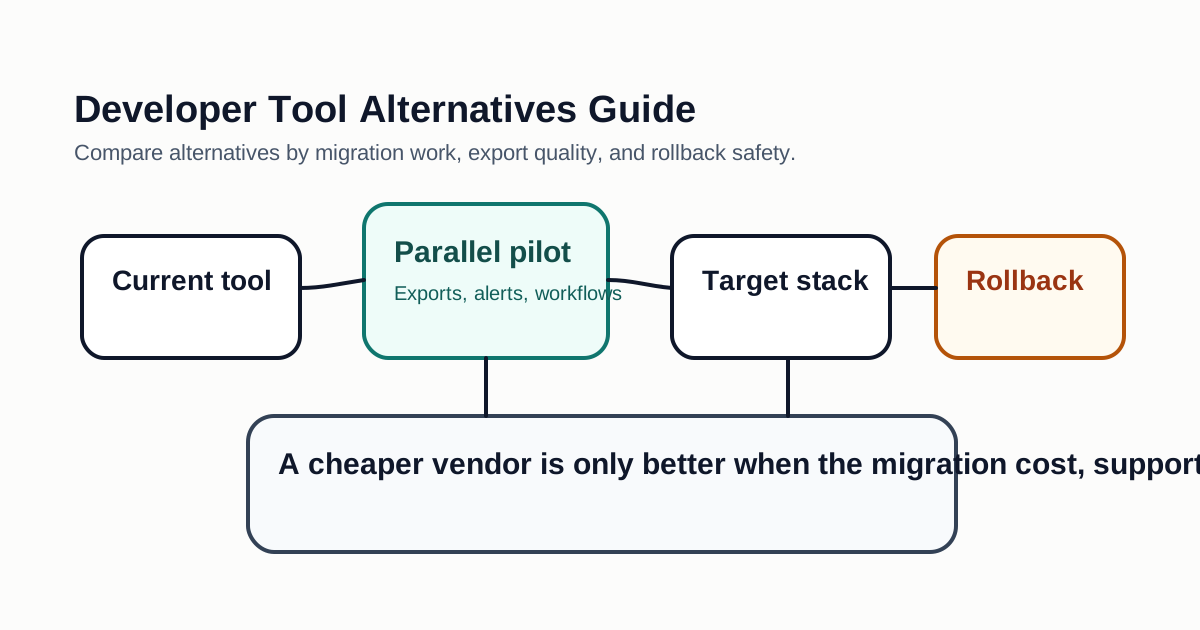
Alternative pages can be useful when they compare real migration tradeoffs instead of simply listing competitors. For developer tools, the switching cost often matters more than the subscription price.
What To Compare
Start with the workflow you are replacing. A CI system, observability platform, vector database, auth service, and AI coding assistant all create different lock-in. Some lock-in is technical, such as proprietary query syntax or deployment configuration. Some is organizational, such as team habits, dashboards, saved searches, and alerts.
Data export is critical. Before switching, confirm that you can export projects, logs, traces, prompts, documents, embeddings, users, permissions, and billing history as needed. If a tool makes exit difficult, the price should be judged more carefully.
Migration Scorecard
| Factor | Question |
|---|---|
| Data portability | Can you export the data needed for rollback? |
| Integration depth | Which systems depend on the current tool? |
| Training cost | How much team behavior must change? |
| Feature parity | Which missing features are truly blocking? |
| Reliability | Does the alternative meet uptime and support needs? |
| Security | Does it support your authentication and audit requirements? |
| Pricing | Does cost scale by seats, events, usage, or storage? |
Hidden Costs To Include
Developer tools rarely fail only because of a missing feature. They fail when the new workflow creates friction across engineering, security, finance, and support. Count the cost of rewriting integrations, rebuilding dashboards, retraining teammates, changing incident runbooks, updating documentation, and maintaining two systems during migration.
Pricing pages can also hide important growth costs. A tool that is cheap for five users may become expensive when usage is priced by events, builds, logs, traces, bandwidth, seats, or stored history. Ask vendors for examples that match your expected scale instead of comparing only entry-level plans.
Safer Migration Pattern
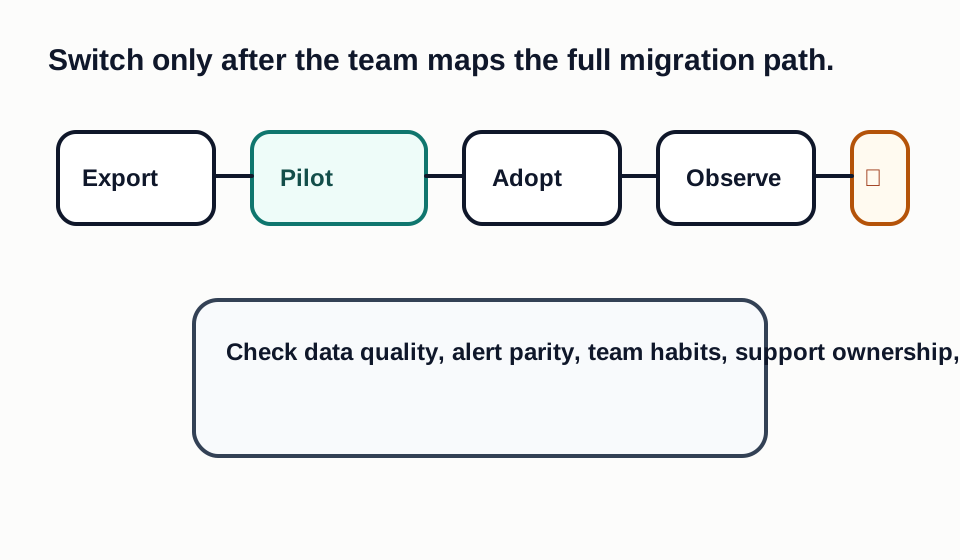
Avoid big-bang switching when the tool touches production delivery, security, billing, customer data, or incident response. Start with a parallel pilot, import a small real dataset, connect one integration, and run the same workflow in both systems. If the new tool handles the pilot, expand to one team before moving the whole company.
Keep the old system available until exports, alerts, permissions, and rollback have been tested. A clean migration includes a written decision log: why the old tool is being replaced, which tradeoffs were accepted, and what evidence would make the team reverse the decision.
Alternative Evaluation Workflow
Start by writing the reason you are looking for an alternative. Common reasons include rising seat cost, missing enterprise controls, weak support, poor performance, lack of data portability, or a workflow that no longer fits the team. The reason matters because it defines the evaluation criteria. If the current problem is cost, a more flexible pricing model may win. If the current problem is auditability, the cheaper tool may still be the wrong answer.
Next, list the jobs the current product performs. For a deployment platform, include builds, previews, environment variables, rollbacks, domains, redirects, logs, and access control. For observability, include dashboards, alerts, retention, incident workflows, query language, and on-call habits. For an AI tool, include model access, data retention, policy controls, prompt history, repository context, and usage visibility. This inventory prevents a narrow feature comparison from missing operational work.
Pricing Models To Watch
Developer SaaS pricing often shifts cost from seats to usage. A tool may charge by build minutes, events, logs, traces, bandwidth, storage, vector count, monthly active users, API calls, or premium model requests. Usage pricing can be fair when it matches value, but it can surprise teams when traffic, retention, or automation grows.
Ask for pricing examples that match your expected scale in six and twelve months. Include overage rules, data retention tiers, support plans, SSO charges, audit log availability, and limits on exports. Some tools place security controls only in enterprise plans. If your customers require those controls, the real comparison is not the entry-level price; it is the minimum compliant plan.
Switching Cost Checklist
Switching cost has technical, operational, and human parts. Technical cost includes migration scripts, data imports, API changes, SDK changes, CI updates, and monitoring changes. Operational cost includes new runbooks, alert tuning, backup plans, incident response, and vendor management. Human cost includes retraining, lost shortcuts, new review habits, and the productivity dip while the team adapts.
Score each cost before approving the move. A rough low, medium, or high rating is enough to avoid surprises. If a proposed alternative saves $200 per month but takes two engineers three weeks to migrate and creates reliability risk, the payback period may be poor. If an alternative removes a painful bottleneck, improves security, or reduces incident response time, the migration may be worth it even if the subscription is not lower.
Decision Record Template
Keep a short decision record for every replacement. Include the current tool, candidate alternatives, reason for switching, required features, accepted tradeoffs, pilot evidence, migration owner, rollback plan, and renewal date. This record helps future teammates understand why the decision was made and prevents the same debate from restarting every quarter.
The record should also define what would make the team reverse the decision. Examples include missing compliance evidence, unacceptable downtime, poor support response, higher-than-expected usage cost, or low adoption after training. A good alternative decision is not only a yes or no; it is a monitored bet with clear evidence.
Bottom Line
The best alternative is not always the cheapest or newest product. It is the option that reduces the current pain without creating a more expensive migration, compliance, or reliability problem.
Decision Checklist For Developer Tool Alternatives Guide
Use this guide as a decision filter before a sales call, trial, or migration plan. For Developer Tool Alternatives Guide, the practical question is whether the topic connects developer tool alternatives, SaaS alternatives, software buying to a measurable workflow outcome. A good decision should improve delivery speed, quality, cost control, or operational confidence without creating hidden review, security, or migration work.
- The alternative reduces total ownership cost without breaking integrations, reporting, workflows, or compliance needs.
- Migration effort, data export, staff training, and rollback work are smaller than the expected savings.
- The new vendor gives the team enough control over data portability, permissions, reliability, and support.
Pilot Plan
A useful pilot is small enough to finish quickly but realistic enough to expose integration, data, workflow, and pricing issues. Avoid demo-only tests. The trial should use real tasks, real constraints, and a baseline from the current process so the team can decide with evidence instead of impressions.
- Inventory every integration, dashboard, alert, saved view, automation, and export that depends on the current vendor.
- Run a parallel pilot with real users before canceling the existing tool.
- Test import, export, rollback, access control, billing, and support response before committing.
Metrics To Track
Track metrics that connect Developer Tool Alternatives Guide to outcomes a budget owner and an engineering owner can both understand. A tool can look impressive in a demo and still fail if usage is low, quality is uneven, or the cost model changes under real workload volume.
- Migration hours, import/export success, training time, and parallel-run support effort.
- Cost by seats, events, bandwidth, storage, build minutes, API calls, or retained history.
- Operational incidents, missing integrations, support response time, and rollback readiness.
Budget And Risk Review
Commercially useful AI tooling decisions should include the subscription or API price, but they should also include support load, review time, observability, privacy controls, switching cost, and the cost of wrong or low-quality output. Treat the first estimate as a working model and update it with production evidence.
- Do not compare subscription price without migration cost, downtime risk, and lost workflow history.
- Check whether the cheaper tool charges by events, bandwidth, storage, build minutes, seats, or API calls.
- Confirm that the team can leave the new vendor without losing critical data or operational history.
Review the alternative after the first month and before the first renewal. A good migration should reduce cost or risk without creating hidden operational work.
Editorial note
AI Jupyter writes independent guides for technical readers. Product details, pricing, and feature names can change, so readers should verify commercial terms on the official vendor site before buying.
Reviewed by the AI Jupyter Editorial Team.